
GCLabs - Get APK
You'll be able to download in few seconds.
Publisher Description
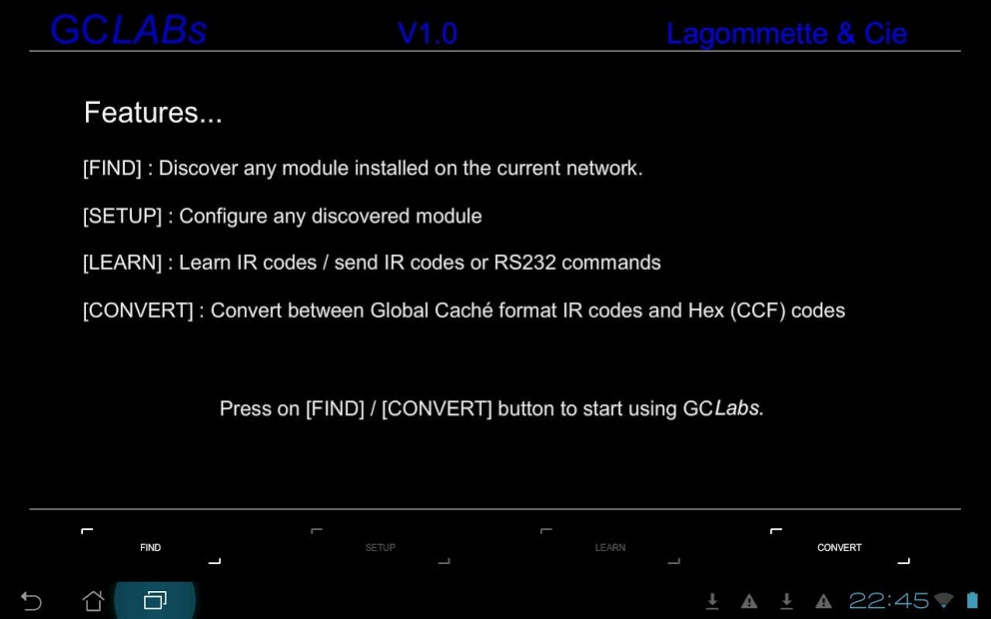
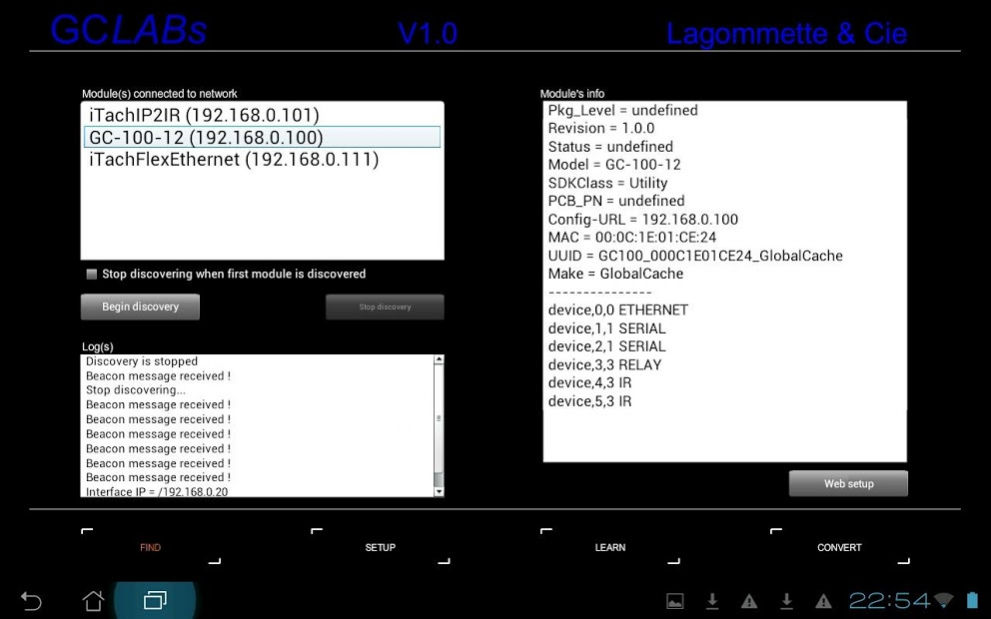
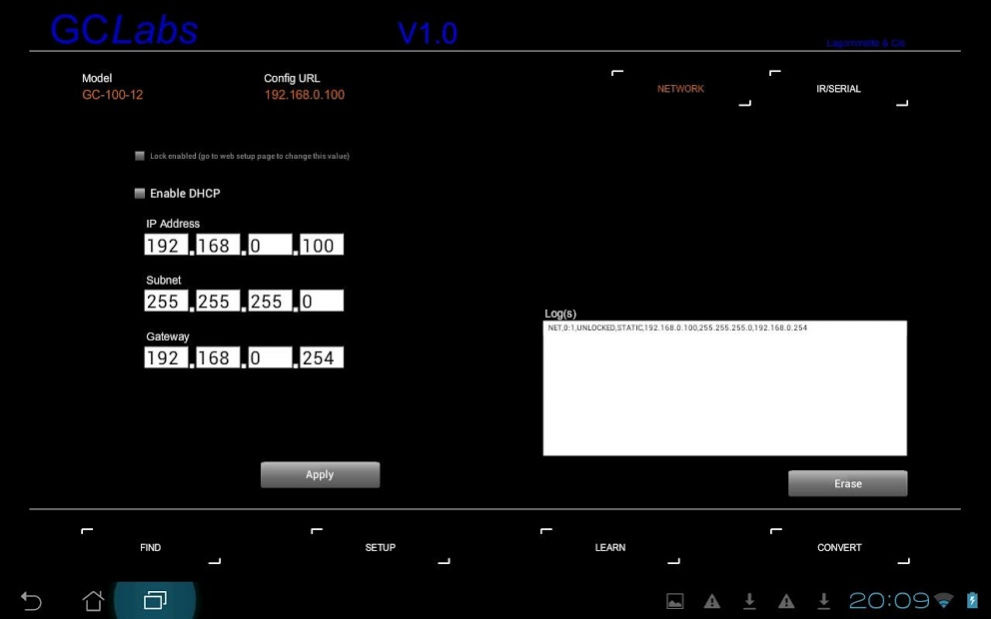
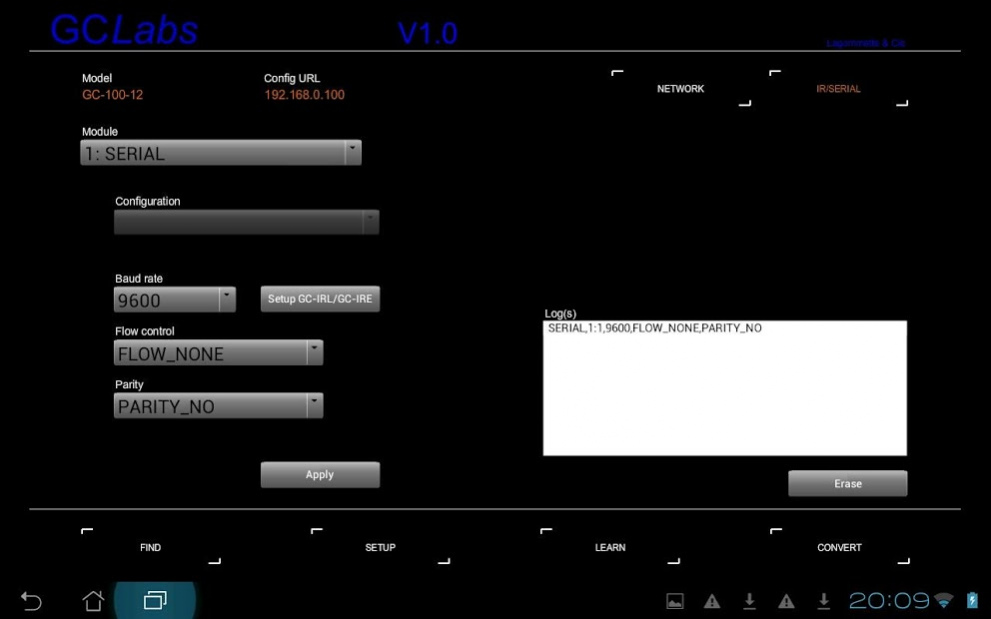
GCLabs includes within the same interface, Global Caché's tools iHelp, iLearn, iConvert and iTest for GC-100-x, iTach et iTachFlex units.
GCLabs is made for both private individuals who wish to master the functioning of their units and integrators worried of configuring with a maximum of flexibility the installations of their customers.
GCLabs provides the following features:
- Discoveries of modules connected to the network
- Access to the Web setup pages
- Network configuration
- Direct configuration of the SERIAL interface
- Direct configuration of the IR interface
- Learning of the infrared codes (copy/paste available via dedicated buttons)
- Broadcast of IR codes or SERIAL commands (ASCII)
- Conversion of infrared codes to RC5 format
- Unlimited access to Global Caché's database of over 130.000 IR codes
- Copy/paste feature compatible with other apps
GCLabs also exists in paying version and bears the name of GCLabs4Don. It is the same application.
GCLabs is compatible with HCSa (HC-SKIPPER for Android) which is a universal remote.
About GCLabs
The company that develops GCLabs is lagommette. The latest version released by its developer is 1.0 .
To install GCLabs on your Android device, just click the green Continue To App button above to start the installation process. The app is listed on our website since 2020-05-23 and was downloaded 0 times. We have already checked if the download link is safe, however for your own protection we recommend that you scan the downloaded app with your antivirus. Your antivirus may detect the GCLabs as malware as malware if the download link to air.GCLabs is broken.
How to install GCLabs on your Android device:
- Click on the Continue To App button on our website. This will redirect you to Google Play.
- Once the GCLabs is shown in the Google Play listing of your Android device, you can start its download and installation. Tap on the Install button located below the search bar and to the right of the app icon.
- A pop-up window with the permissions required by GCLabs will be shown. Click on Accept to continue the process.
- GCLabs will be downloaded onto your device, displaying a progress. Once the download completes, the installation will start and you'll get a notification after the installation is finished.
Program Details
System requirements
Download information
Pricing
Version History
version
posted on 2020-05-23
Contact closure module management
version
posted on 2019-11-17
Access to the IRDB in the absence of an IR module
version 2.69
posted on 2017-06-03
Fixes concerning the use of the RS232 interface:
- Management of the different types of carriage return
- Improved management of logs
- Watch out, the HEX format can be used only with Onkyo devices or the last models of Pioneer devices (for more information write to support@hc-skipper.com)
version 2.68
posted on 2016-07-05
- Security update
Disclaimer
External Download
We do not host GCLabs on our servers. We did not scan it for viruses, adware, spyware or other type of malware. This app is hosted by Galad and passed their terms and conditions to be listed there. We recommend caution when installing it.
The APK Download link for GCLabs is provided to you by apps112.com without any warranties, representations or guarantees of any kind, so access it at your own risk.
If you have questions regarding this particular app contact the publisher directly. For questions about the functionalities of apps112.com contact us.
